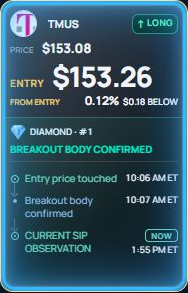
Initial event
The first breakout record at the reference entry.
HOW AARON WORKS
Follow the session’s selected assets, understand the events at the reference entry and review the next step in one workspace.
Explore the workspaceThe first breakout record at the reference entry.
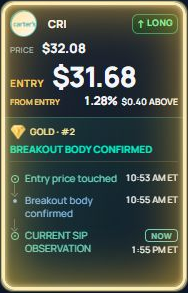
The first recorded return to the entry.
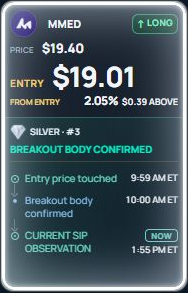
The second recorded return in the sequence.
AARON selects 20 assets for the session. Today brings together the price observation, LONG or SHORT direction, reference entry and source status.
Diamond identifies the initial breakout event. Gold identifies the first retest and Silver the second retest. Each recorded event has its own time. These categories are not win probabilities.
Entry touched means the source recorded price reaching the reference entry. Breakout body confirmation is a separate state. A setup can later be invalidated or have stale observations. Read the current state as well as its history.
Compare current price with the entry and its distance in dollars and percent. Review the reference stop and target. Charts and source events have their own timestamps; a price chart does not confirm a broker fill.
Account Execution uses the capital and risk settings you supply to show reference shares, planned investment and planned gain or loss. Source target references and the position plan’s target can differ. Planning capital does not deposit or transfer money.
Opening a signal, Account Execution or Broker does not place a trade. Source events, position plans and broker executions remain separate. Any available broker action requires its own connection and confirmation flow.
YOUR WORKSPACE
Company context and market intensity alongside the selected asset.
Conversations, source-event history and preferred assets in the same workspace.
Follow your workspace on desktop or mobile. Set your display and alert preferences; background delivery depends on device setup.